העברת נתונים לעומק עם ההקשר
בדרך כלל, תעביר מידע מרכיב אב לרכיב צאצא באמצעות props. אבל העברת props יכולה להיות מילולית ולא נוחה אם תצטרך להעביר אותם דרך רכיבים רבים באמצע, או אם רכיבים רבים באפליקציה שלך זקוקים לאותו מידע. הקשר מאפשר לרכיב האב להפוך מידע זמין לכל רכיב בעץ שמתחתיו - לא משנה כמה עמוק - מבלי להעביר אותו במפורש דרך props.
You will learn
- מה זה “קידוח פרוס”.
- כיצד להחליף את העברת האביזרים החוזרים על עצמם בהקשר
- מקרים נפוצים של use להקשר
- חלופות נפוצות להקשר
הבעיה בהעברת props
העברת props היא דרך מצוינת להעביר נתונים באופן מפורש דרך עץ הממשק שלך לרכיבים שuse אותו.
אבל העברת props יכולה להיות מילולית ולא נוחה כאשר אתה צריך להעביר אביזר עמוק דרך העץ, או אם רכיבים רבים זקוקים לאותו אביזר. האב הקדמון המשותף הקרוב ביותר יכול להיות רחוק מהרכיבים שזקוקים לנתונים, והעלאת state למעלה כל כך גבוה יכול להוביל למצב שנקרא “קידוח פרופס”.
הרמת state למעלה


קידוח פרוס
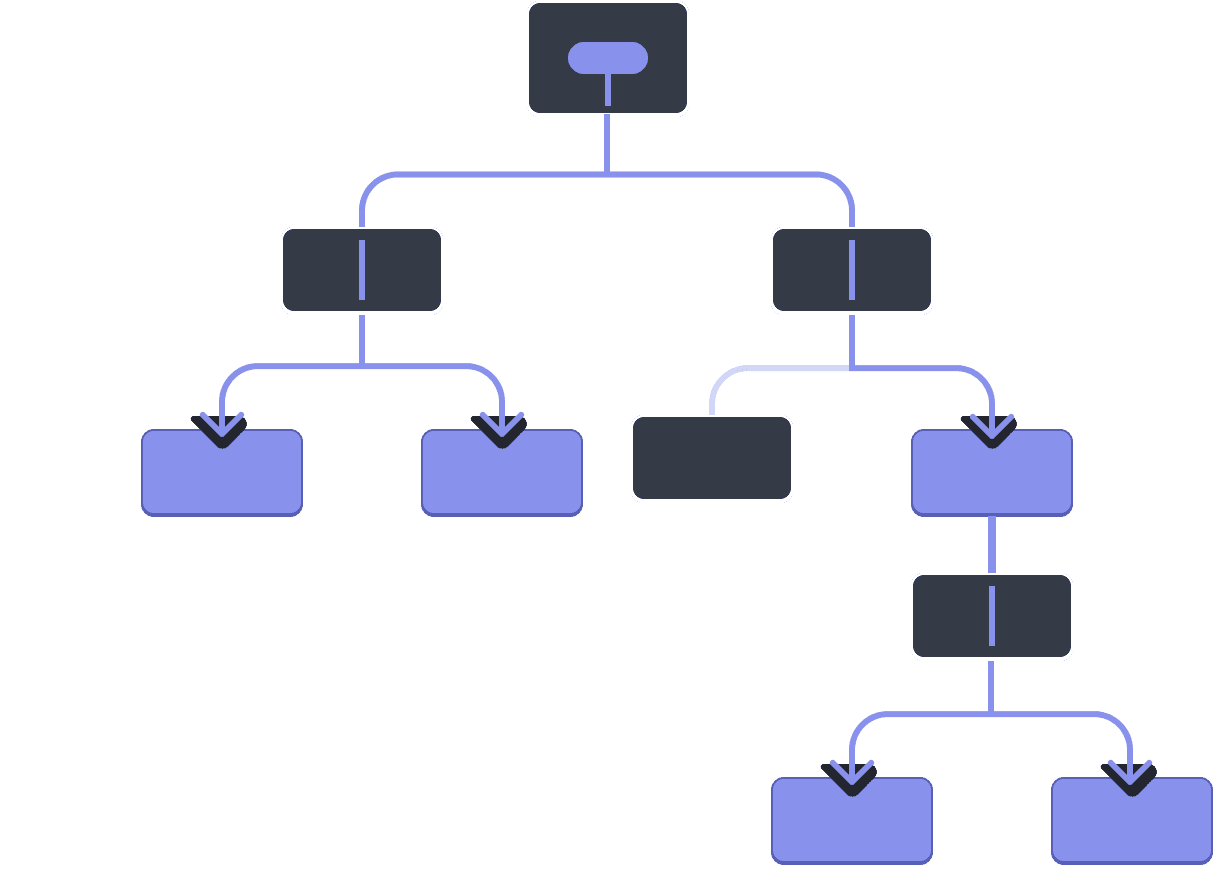
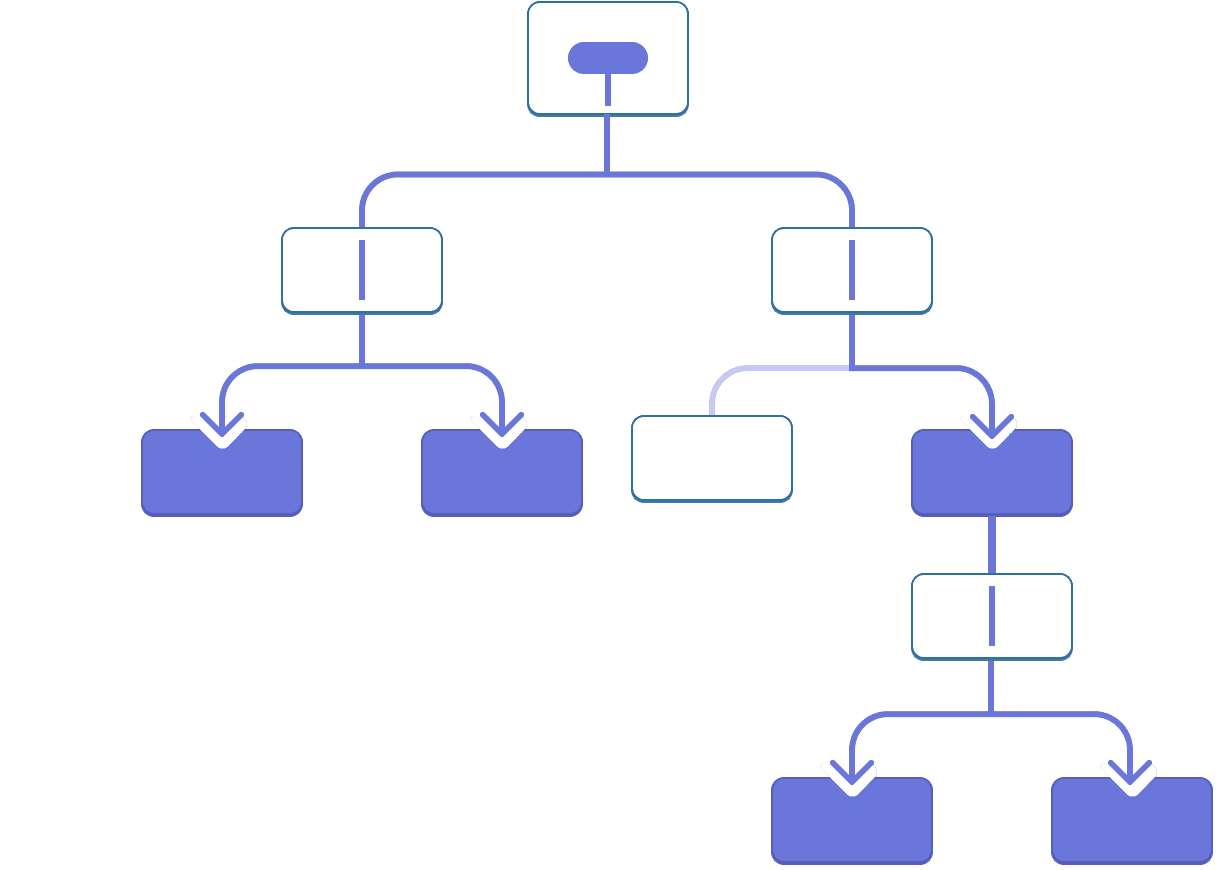
האם זה לא יהיה נהדר אם הייתה דרך “לטלפורט” נתונים לרכיבים בעץ שצריכים אותם מבלי להעביר את props? עם תכונת ההקשר של React, יש!
הקשר: חלופה להעברת props
ההקשר מאפשר לרכיב אב לספק נתונים לכל העץ שמתחתיו. יש הרבה uses להקשר. הנה דוגמה אחת. שקול את הרכיב Heading הזה שמקבל level עבור הגודל שלו:
import Heading from './Heading.js';
import Section from './Section.js';

export default function Page() {
  return (
    <Section>
      <Heading level={1}>Title</Heading>
      <Heading level={2}>Heading</Heading>
      <Heading level={3}>Sub-heading</Heading>
      <Heading level={4}>Sub-sub-heading</Heading>
      <Heading level={5}>Sub-sub-sub-heading</Heading>
      <Heading level={6}>Sub-sub-sub-sub-heading</Heading>
    </Section>
  );
}
נניח שאתה רוצה שמספר כותרות בתוך אותו Section יהיו תמיד באותו גודל:
import Heading from './Heading.js';
import Section from './Section.js';

export default function Page() {
  return (
    <Section>
      <Heading level={1}>Title</Heading>
      <Section>
        <Heading level={2}>Heading</Heading>
        <Heading level={2}>Heading</Heading>
        <Heading level={2}>Heading</Heading>
        <Section>
          <Heading level={3}>Sub-heading</Heading>
          <Heading level={3}>Sub-heading</Heading>
          <Heading level={3}>Sub-heading</Heading>
          <Section>
            <Heading level={4}>Sub-sub-heading</Heading>
            <Heading level={4}>Sub-sub-heading</Heading>
            <Heading level={4}>Sub-sub-heading</Heading>
          </Section>
        </Section>
      </Section>
    </Section>
  );
}
נכון לעכשיו, אתה מעביר את אבזר level לכל <Heading> בנפרד:
<Section>
  <Heading level={3}>About</Heading>
  <Heading level={3}>Photos</Heading>
  <Heading level={3}>Videos</Heading>
</Section>
זה יהיה נחמד אם תוכל להעביר את הפרופס level לרכיב <Section> במקום ולהסיר אותו מה-<Heading>. כך תוכל לאכוף שלכל הכותרות באותו סעיף יהיה אותו גודל:
<Section level={3}>
  <Heading>About</Heading>
  <Heading>Photos</Heading>
  <Heading>Videos</Heading>
</Section>
אבל איך רכיב <Heading> יכול לדעת את הרמה של <Section> הקרוב ביותר שלו? זה ידרוש דרך כלשהי לילד “לבקש” נתונים ממקום כלשהו מעל העץ.
אתה לא יכול לעשות את זה עם props לבד. כאן נכנס לתמונה ההקשר. אתה תעשה את זה בשלושה שלבים:
- צור הקשר. (אתה יכול לקרוא לזה
LevelContext, מכיוון שזה עבור רמת הכותרת.) - השתמש בהקשר הזה מהרכיב שצריך את הנתונים. (
Headingיהיה useLevelContext.) - ספק את ההקשר הזה מהרכיב שמציין את הנתונים. (
SectionיספקLevelContext.)
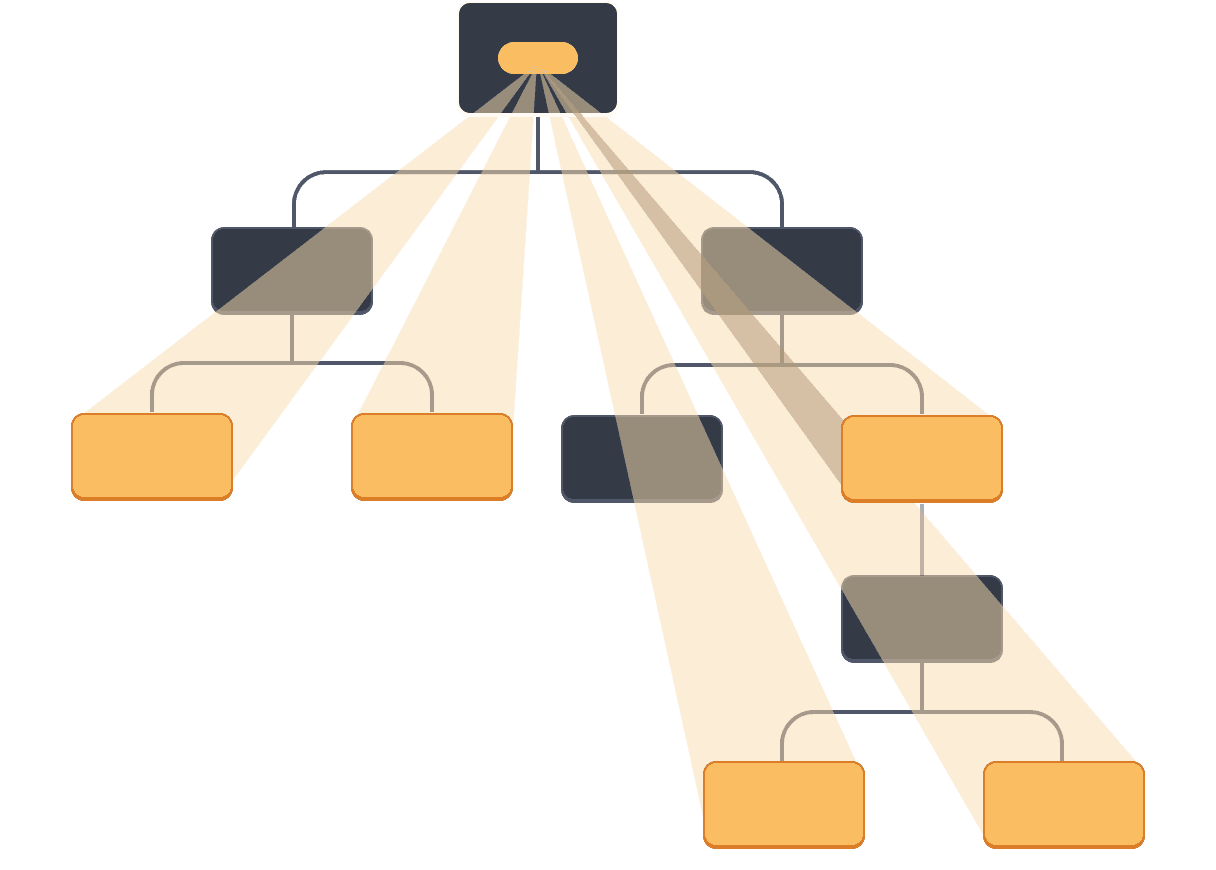
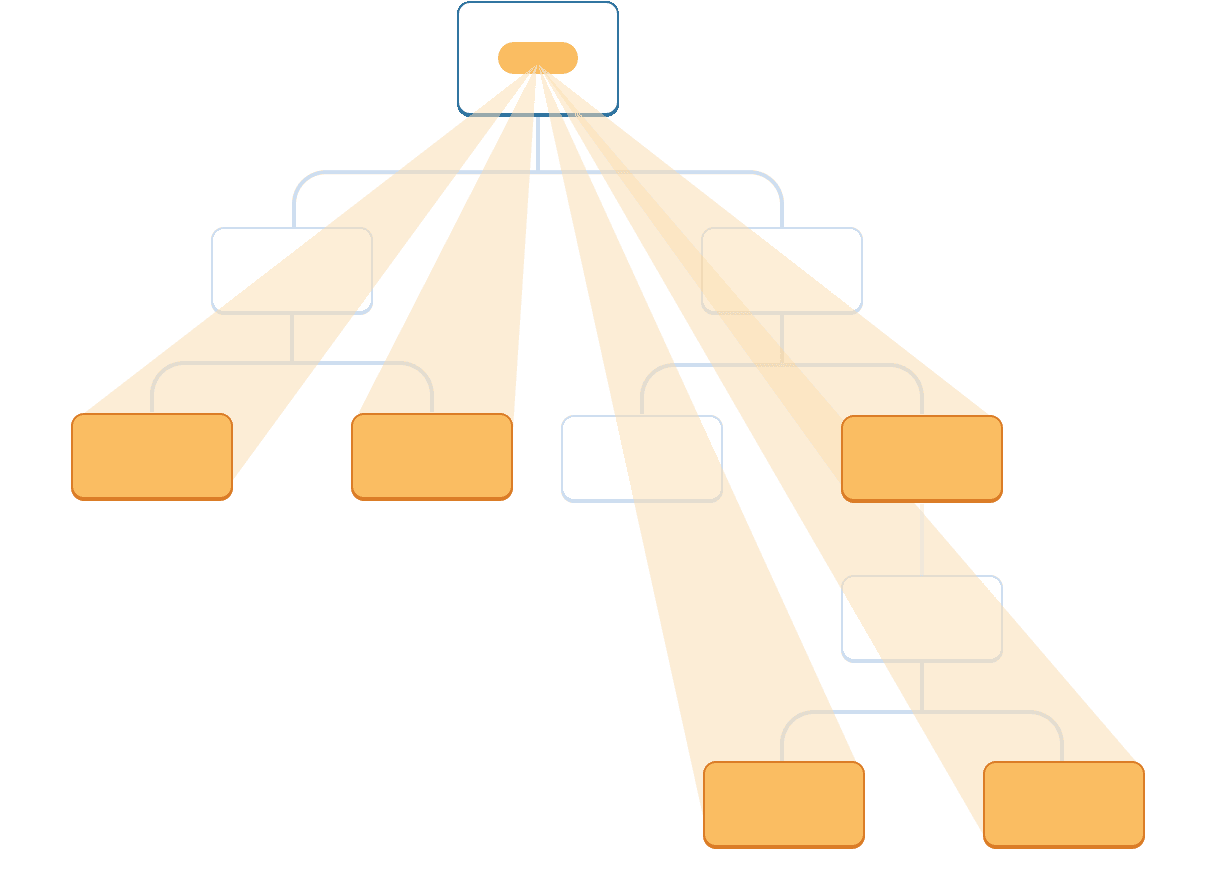
ההקשר מאפשר להורה - אפילו רחוק! - לספק נתונים לכל העץ שבתוכו.
שימוש בהקשר בילדים קרובים


שימוש בהקשר בילדים רחוקים
שלב 1: צור את ההקשר
ראשית, עליך ליצור את ההקשר. תצטרך לייצא אותו מקובץ כדי שהרכיבים שלך יוכלו use אותו:
import { createContext } from 'react';

export const LevelContext = createContext(1);
הארגומנט היחיד ל-createContext הוא ערך default. כאן, 1 מתייחס לרמת הכותרת הגדולה ביותר, אבל אתה יכול להעביר כל סוג של ערך (אפילו אובייקט). תראה את המשמעות של ערך ברירת המחדל בשלב הבא.
שלב 2: השתמש בהקשר
ייבא את useContext Hook מ-React ואת ההקשר שלך:
import { useContext } from 'react';
import { LevelContext } from './LevelContext.js';
נכון לעכשיו, הרכיב Heading קורא level מתוך props:
export default function Heading({ level, children }) {
  // ...
}
במקום זאת, הסר את האביזר level וקרא את הערך מההקשר שזה עתה ייבאת, LevelContext:
export default function Heading({ children }) {
  const level = useContext(LevelContext);
  // ...
}
useContext הוא Hook. בדיוק כמו useState ו-useReducer, אתה יכול לקרוא רק ל-Hook מיד בתוך רכיב React (לא בתוך לולאות או תנאים). useContext אומר לReact שהרכיב Heading רוצה לקרוא את ה-LevelContext.
כעת, כאשר לרכיב Heading אין אבזר level, אינך צריך להעביר את אבזר הרמה ל-Heading ב-JSX שלך כך יותר:
<Section>
  <Heading level={4}>Sub-sub-heading</Heading>
  <Heading level={4}>Sub-sub-heading</Heading>
  <Heading level={4}>Sub-sub-heading</Heading>
</Section>
עדכן את ה-JSX כך שה-Section הוא שמקבל אותו במקום זאת:
<Section level={4}>
  <Heading>Sub-sub-heading</Heading>
  <Heading>Sub-sub-heading</Heading>
  <Heading>Sub-sub-heading</Heading>
</Section>
כזכור, זה הסימון שניסית להפעיל:
import Heading from './Heading.js';
import Section from './Section.js';

export default function Page() {
  return (
    <Section level={1}>
      <Heading>Title</Heading>
      <Section level={2}>
        <Heading>Heading</Heading>
        <Heading>Heading</Heading>
        <Heading>Heading</Heading>
        <Section level={3}>
          <Heading>Sub-heading</Heading>
          <Heading>Sub-heading</Heading>
          <Heading>Sub-heading</Heading>
          <Section level={4}>
            <Heading>Sub-sub-heading</Heading>
            <Heading>Sub-sub-heading</Heading>
            <Heading>Sub-sub-heading</Heading>
          </Section>
        </Section>
      </Section>
    </Section>
  );
}
שימו לב שהדוגמה הזו לא ממש עובדת, עדיין! לכל הכותרות יש את אותו גודל מכיוון שuse למרות שאתה משתמש בהקשר, עדיין לא סיפקת אותו. React לא יודע איפה להשיג אותו!
אם לא תספק את ההקשר, React use ערך ברירת המחדל שציינת בשלב הקודם. בדוגמה זו, ציינת את 1 כארגומנט ל-createContext, אז useContext(LevelContext) מחזיר את 1, ומגדיר את כל הכותרות האלה ל-<h1>. בואו נתקן את הבעיה על ידי כך שכל Section יספק את ההקשר שלו.
שלב 3: ספק את ההקשר
הרכיב Section מציג כעת את הילדים שלו:
export default function Section({ children }) {
  return (
    <section className="section">
      {children}
    </section>
  );
}
עטפו אותם עם ספק הקשר כדי לספק להם את ה-LevelContext:
import { LevelContext } from './LevelContext.js';

export default function Section({ level, children }) {
  return (
    <section className="section">
      <LevelContext.Provider value={level}>
        {children}
      </LevelContext.Provider>
    </section>
  );
}
זה אומר ל-React: “אם רכיב כלשהו בתוך ה-<Section> הזה מבקש LevelContext, תן לו את ה-level הזה.” הרכיב use הערך של <LevelContext.Provider> הקרוב ביותר בעץ ה-UI שמעליו.
import Heading from './Heading.js';
import Section from './Section.js';

export default function Page() {
  return (
    <Section level={1}>
      <Heading>Title</Heading>
      <Section level={2}>
        <Heading>Heading</Heading>
        <Heading>Heading</Heading>
        <Heading>Heading</Heading>
        <Section level={3}>
          <Heading>Sub-heading</Heading>
          <Heading>Sub-heading</Heading>
          <Heading>Sub-heading</Heading>
          <Section level={4}>
            <Heading>Sub-sub-heading</Heading>
            <Heading>Sub-sub-heading</Heading>
            <Heading>Sub-sub-heading</Heading>
          </Section>
        </Section>
      </Section>
    </Section>
  );
}
זו אותה תוצאה כמו הקוד המקורי, אבל לא היית צריך להעביר את הפרופס level לכל רכיב Heading! במקום זאת, הוא “מבין” את רמת הכותרת שלו על ידי שאילת ה-Section הקרוב ביותר למעלה:
- אתה מעביר אביזר
levelל-<Section>. Sectionעוטף את ילדיו ב-<LevelContext.Provider value={level}>.Headingשואל את הערך הקרוב ביותר שלLevelContextלמעלה עםuseContext(LevelContext).
שימוש ומתן הקשר מאותו רכיב
נכון לעכשיו, אתה עדיין צריך לציין את ה-level של כל חלק באופן ידני:
export default function Page() {
  return (
    <Section level={1}>
      ...
      <Section level={2}>
        ...
        <Section level={3}>
          ...
מכיוון שההקשר מאפשר לך לקרוא מידע מרכיב למעלה, כל Section יכול לקרוא את ה-level מה-Section שלמעלה, ולהעביר את level + 1 למטה באופן אוטומטי. הנה איך אתה יכול לעשות את זה:
import { useContext } from 'react';
import { LevelContext } from './LevelContext.js';

export default function Section({ children }) {
  const level = useContext(LevelContext);
  return (
    <section className="section">
      <LevelContext.Provider value={level + 1}>
        {children}
      </LevelContext.Provider>
    </section>
  );
}
עם השינוי הזה, אינך צריך להעביר את משענת level לא ל-<Section> או ל-<Heading>:
import Heading from './Heading.js';
import Section from './Section.js';

export default function Page() {
  return (
    <Section>
      <Heading>Title</Heading>
      <Section>
        <Heading>Heading</Heading>
        <Heading>Heading</Heading>
        <Heading>Heading</Heading>
        <Section>
          <Heading>Sub-heading</Heading>
          <Heading>Sub-heading</Heading>
          <Heading>Sub-heading</Heading>
          <Section>
            <Heading>Sub-sub-heading</Heading>
            <Heading>Sub-sub-heading</Heading>
            <Heading>Sub-sub-heading</Heading>
          </Section>
        </Section>
      </Section>
    </Section>
  );
}
עכשיו גם Heading וגם Section קראו את ה-LevelContext כדי להבין עד כמה הם “עמוקים”. וה-Section עוטף את ילדיו ב-LevelContext כדי לציין שכל דבר בתוכו נמצא ברמה “עמוקה” יותר.
ההקשר עובר דרך רכיבי ביניים
אתה יכול להכניס כמה רכיבים שתרצה בין הרכיב שמספק הקשר לזה שuse הוא זה. זה כולל גם רכיבים מובנים כמו <div> וגם רכיבים שאתה עשוי לבנות בעצמך.
בדוגמה זו, אותו רכיב Post (עם גבול מקווקו) מוצג בשתי רמות קינון שונות. שימו לב שה-<Heading> שבתוכו מקבל את הרמה שלו אוטומטית מה-<Section> הקרוב ביותר:
import Heading from './Heading.js';
import Section from './Section.js';

export default function ProfilePage() {
  return (
    <Section>
      <Heading>My Profile</Heading>
      <Post
        title="Hello traveller!"
        body="Read about my adventures."
      />
      <AllPosts />
    </Section>
  );
}

function AllPosts() {
  return (
    <Section>
      <Heading>Posts</Heading>
      <RecentPosts />
    </Section>
  );
}

function RecentPosts() {
  return (
    <Section>
      <Heading>Recent Posts</Heading>
      <Post
        title="Flavors of Lisbon"
        body="...those pastéis de nata!"
      />
      <Post
        title="Buenos Aires in the rhythm of tango"
        body="I loved it!"
      />
    </Section>
  );
}

function Post({ title, body }) {
  return (
    <Section isFancy={true}>
      <Heading>
        {title}
      </Heading>
      <p><i>{body}</i></p>
    </Section>
  );
}
לא עשית שום דבר מיוחד כדי שזה יעבוד. Section מציין את ההקשר של העץ שבתוכו, כך שתוכל להכניס <Heading> בכל מקום, והוא יקבל את הגודל הנכון. נסה את זה בארגז החול למעלה!
הקשר מאפשר לך לכתוב רכיבים ש”מתאימים לסביבתם” ומציגים את עצמם בצורה שונה בהתאם ל-היכן (או, במילים אחרות, באיזה הקשר) הם מעובדים.
אופן הפעולה של ההקשר עשוי להזכיר לך את CSS ירושה של נכס. ב-CSS, אתה יכול לציין color: blue עבור <div>, וכל צומת DOM בתוכו, לא משנה כמה עמוק, יירש את הצבע הזה, אלא אם כן color: blue אחר יתחיל עם ה-K_2 האמצעי. באופן דומה, ב-React, הדרך היחידה לעקוף הקשר כלשהו שמגיע מלמעלה היא לעטוף ילדים לספק הקשר עם ערך שונה.
ב-CSS, מאפיינים שונים כמו color ו-background-color אינם עוקפים זה את זה. אתה יכול להגדיר את כל color של <div> לאדום מבלי להשפיע על background-color. באופן דומה, הקשרי React שונים אינם עוקפים זה את זה. כל הקשר שאתה יוצר עם createContext() נפרד לחלוטין מהקשרים אחרים, ומקשר בין רכיבים תוך שימוש ומספק הקשר המסוים הזה הזה. רכיב אחד עשוי use או לספק הקשרים רבים ושונים ללא בעיה.
לפני שאתה use הקשר
ההקשר מאוד מפתה use! עם זאת, זה גם אומר שקל מדי להגזיםuse מזה. רק בגלל שuse אתה צריך לעבור כמה props בעומק של כמה רמות לא אומר שאתה צריך להכניס את המידע הזה להקשר.
הנה כמה חלופות שכדאי לשקול לפני השימוש בהקשר:
- התחל במעבר props. אם הרכיבים שלך אינם טריוויאליים, זה לא יוצא דופן להעביר תריסר props דרך תריסר רכיבים. זה אולי מרגיש כמו סיסמה, אבל זה מבהיר מאוד אילו רכיבים use אילו נתונים! האדם ששומר על הקוד שלך ישמח שהפכת את זרימת הנתונים למפורשת עם props.
- חלץ רכיבים והעברת JSX בתור
childrenאליהם. אם אתה מעביר חלק מהנתונים דרך שכבות רבות של רכיבי ביניים שלא use פירושו שלעתים קרובות אתה מעביר את הנתונים האלה בהמשך (ובדרך זו אתה מעביר את הנתונים האלה בדרך נוספת). לדוגמה, אולי אתה מעביר נתונים props כמוpostsלרכיבים חזותיים שאינם use אותם ישירות, כמו<Layout posts={posts} />. במקום זאת, גרם ל-Layoutלקחת אתchildrenכאביזר, ולעבד את<Layout><Posts posts={posts} /></Layout>. זה מפחית את מספר השכבות בין הרכיב המציין את הנתונים לזה שזקוק להם.
אם אף אחת מהגישות הללו לא עובדת טוב עבורך, שקול את ההקשר.
שימוש במקרים עבור הקשר
- עיצוב: אם האפליקציה שלך מאפשרת ל-user לשנות את המראה שלו (למשל במצב כהה), תוכל לשים ספק הקשר בחלק העליון של האפליקציה שלך, וuse ההקשר הזה ברכיבים שצריכים להתאים את המראה החזותי שלהם.
- חשבון נוכחי: ייתכן שרכיבים רבים צריכים לדעת את user המחובר כעת. הצבתו בהקשר מאפשרת לקרוא אותו בכל מקום בעץ. אפליקציות מסוימות גם מאפשרות לך להפעיל מספר חשבונות בו-זמנית (למשל להשאיר הערה בתור user אחר). במקרים אלה, זה יכול להיות נוח לעטוף חלק ממשק המשתמש לספק מקונן עם ערך חשבון שוטף שונה.
- ניתוב: רוב פתרונות הניתוב use הקשר פנימי כדי להחזיק את המסלול הנוכחי. כך כל קישור “יודע” אם הוא פעיל או לא. אם אתה בונה נתב משלך, אולי תרצה לעשות את זה גם.
- ניהול state: ככל שהאפליקציה שלך תגדל, אתה עלול בסופו של דבר לקבל הרבה state קרוב יותר לראש האפליקציה שלך. רכיבים רחוקים רבים להלן עשויים לרצות לשנות אותו. מקובל ל-use מפחית יחד עם הקשר לנהל state מורכבים ולהעביר אותו לרכיבים מרוחקים בלי יותר מדי טרחה.
ההקשר אינו מוגבל לערכים סטטיים. אם תעביר ערך אחר בעיבוד הבא, React יעדכן את כל הרכיבים שקוראים אותו למטה! זו הסיבה שהקשר הוא לעתים קרובות used בשילוב עם state.
באופן כללי, אם יש צורך במידע מסוים על ידי רכיבים מרוחקים בחלקים שונים של העץ, זה אינדיקציה טובה שהקשר יעזור לך.
Recap
- ההקשר מאפשר לרכיב לספק מידע כלשהו לכל העץ שמתחתיו.
- כדי להעביר את ההקשר:
- צור וייצא אותו באמצעות
export const MyContext = createContext(defaultValue). - העבירו אותו ל-
useContext(MyContext)Hook כדי לקרוא אותו בכל רכיב צאצא, לא משנה כמה עמוק. - עטפו ילדים לתוך
<MyContext.Provider value={...}>כדי לספק אותו מהורה.
- צור וייצא אותו באמצעות
- ההקשר עובר דרך כל רכיב באמצע.
- ההקשר מאפשר לך לכתוב רכיבים ש”מתאימים לסביבתם”.
- לפני שאתה use הקשר, נסה להעביר את props או להעביר את JSX בתור
children.
Challenge 1 of 1: החלף את קידוח התמיכה בהקשר
בדוגמה זו, החלפת תיבת הסימון משנה את התמיכה imageSize המועברת לכל <PlaceImage>. תיבת הסימון state מוחזקת ברכיב App ברמה העליונה, אך כל <PlaceImage> צריך להיות מודע לכך.
נכון לעכשיו, App מעביר את imageSize לList, שמעביר אותו לכל Place, שמעביר אותו לPlaceImage. הסר את האביזר imageSize, ובמקום זאת העביר אותו מהרכיב App ישירות אל PlaceImage.
אתה יכול להכריז על הקשר ב-Context.js.
import { useState } from 'react';
import { places } from './data.js';
import { getImageUrl } from './utils.js';

export default function App() {
  const [isLarge, setIsLarge] = useState(false);
  const imageSize = isLarge ? 150 : 100;
  return (
    <>
      <label>
        <input
          type="checkbox"
          checked={isLarge}
          onChange={e => {
            setIsLarge(e.target.checked);
          }}
        />
        Use large images
      </label>
      <hr />
      <List imageSize={imageSize} />
    </>
  )
}

function List({ imageSize }) {
  const listItems = places.map(place =>
    <li key={place.id}>
      <Place
        place={place}
        imageSize={imageSize}
      />
    </li>
  );
  return <ul>{listItems}</ul>;
}

function Place({ place, imageSize }) {
  return (
    <>
      <PlaceImage
        place={place}
        imageSize={imageSize}
      />
      <p>
        <b>{place.name}</b>
        {': ' + place.description}
      </p>
    </>
  );
}

function PlaceImage({ place, imageSize }) {
  return (
    <img
      src={getImageUrl(place)}
      alt={place.name}
      width={imageSize}
      height={imageSize}
    />
  );
}